

"You’ve Exceeded Your Limit:" Why Your Email Bill Changed When Your Customer List Didn't

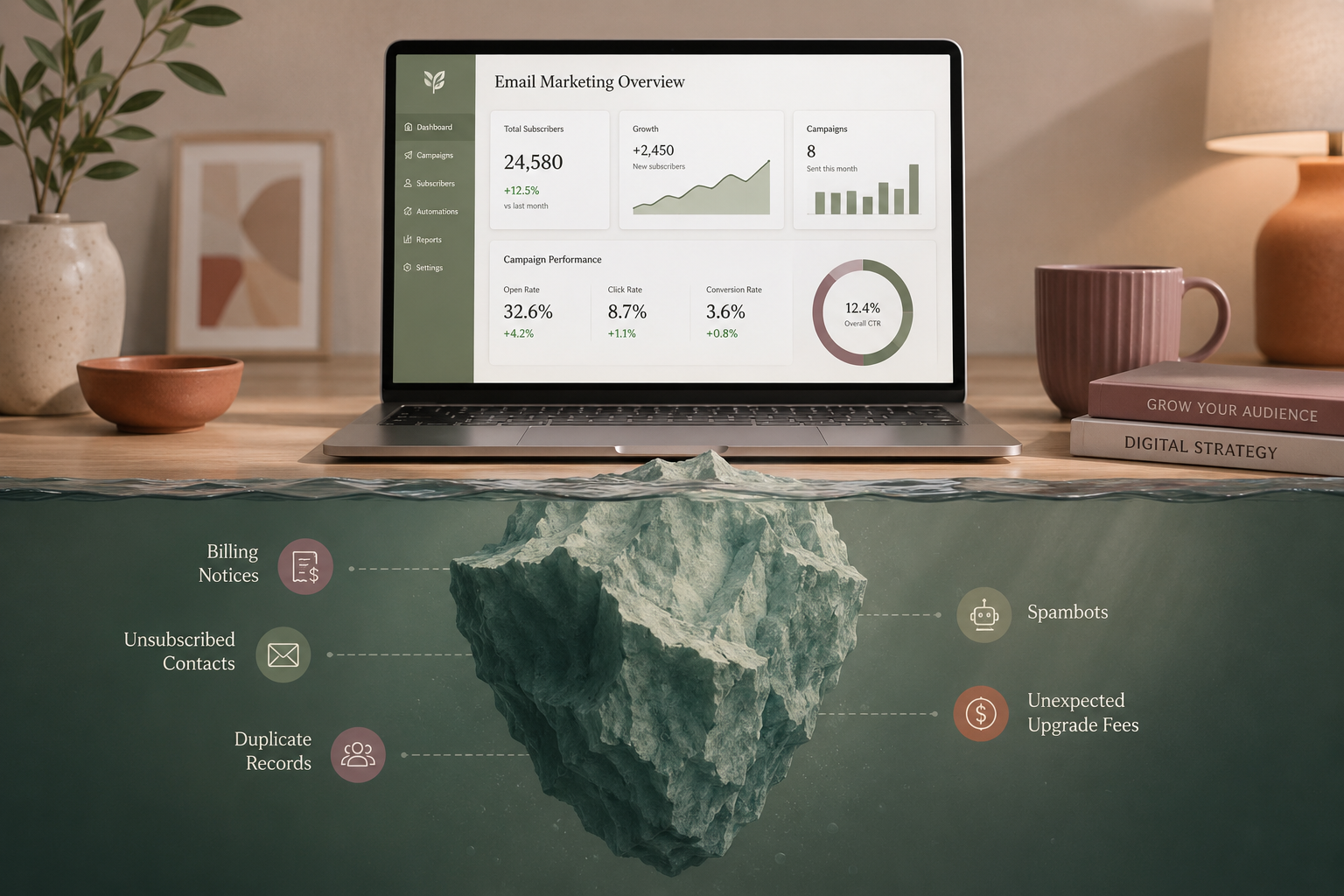
Small businesses rely on email marketing more than almost any other channel. Studies consistently show that over 60% use it as a primary tool for brand awareness, promotions, and staying connected with customers — and for good reason. Unlike social media, your list is yours. No algorithm decides who sees your message.
But that direct line to your audience comes with a catch most small business owners never see coming — not because it’s complicated, but because the platforms don’t make it easy to find. The billing structures of tools like Mailchimp and Constant Contact are built around metrics that grow quietly in the background, and by the time you notice, you’re already paying more than you expected.
As a digital marketing consultant working with small businesses, I see this more than you’d think. A client recently reached out, confused by an email from Mailchimp telling them they’d exceeded their contact limit and needed to upgrade. They were certain they had fewer than 2,000 subscribers. They were right — and wrong. Their active subscribers were well under the limit. But Mailchimp doesn’t just count who you’re marketing to. It counts everyone who ever touched your list, including people who unsubscribed years ago. The client wasn’t over their limit because their business had grown. They were over it because of contacts they couldn’t even email anymore.
That’s the trap. And it’s not unique to Mailchimp.
Both platforms have genuine strengths — and the right choice often comes down to how your business operates. But understanding what each one offers also makes it easier to see where the billing structures catch people off guard. The features that attract you to a platform are often the same ones that quietly drive your costs up.
MailChimp: The Feature-Rich Platform
MailChimp offers a robust suite of tools for businesses that want more control over automation and analytics — but recurring pricing changes make it an increasingly expensive choice as you scale.
What works:
• Advanced automation: Multi-step customer journeys let you build email sequences based on how subscribers actually interact with your website and content.
• Detailed analytics: Click maps, open rate tracking, and optimization tools give you a real picture of what’s working.
• Extensive integrations: Connects with nearly every e-commerce platform, CRM, and website builder on the market.
What to watch out for:
• A free plan that doesn’t stretch far: MailChimp has reduced its free tier limits significantly in recent years. Most growing businesses outgrow it faster than they expect.
• Frequent price increases: Regular hikes across standard tiers mean your baseline marketing costs can creep upward even when nothing about your usage has changed.
Constant Contact: The Streamlined Option
Constant Contact is built for small businesses wanting a short learning curve. It focuses on straightforward campaign creation rather than complex technical customization.
What works:
• Built-in event management: Tools to handle event invitations, RSVPs, and ticketing live directly inside your email dashboard — useful if you host workshops, pop-ups, or community events.
• Genuinely beginner-friendly: The drag-and-drop editor is clean and approachable for anyone who just wants to send a good-looking update without a steep learning curve.
• Actual phone support: Rare among software platforms today, and worth more than people realize when something breaks before a big send.
What to watch out for:
• Aggressive pricing tiers: Costs rise sharply once you pass basic contact milestones, and the jumps can catch you off guard.
• No free tier: There’s a limited trial, but once it expires a paid subscription is mandatory. to keep your list. There’s no staying small and free while you grow.
The Hidden Costs Both Platforms Bury in the Fine Print
This is where most small business owners get caught — not from careless spending, but from not knowing what to look for. Both platforms use billing structures that can quietly inflate your monthly rate without a warning or a confirmation prompt.
Mailchimp: You’re Paying for People You Can’t Email
MailChimp bases its billing tiers on your total Audience Count — and that number includes far more than your active subscribers.
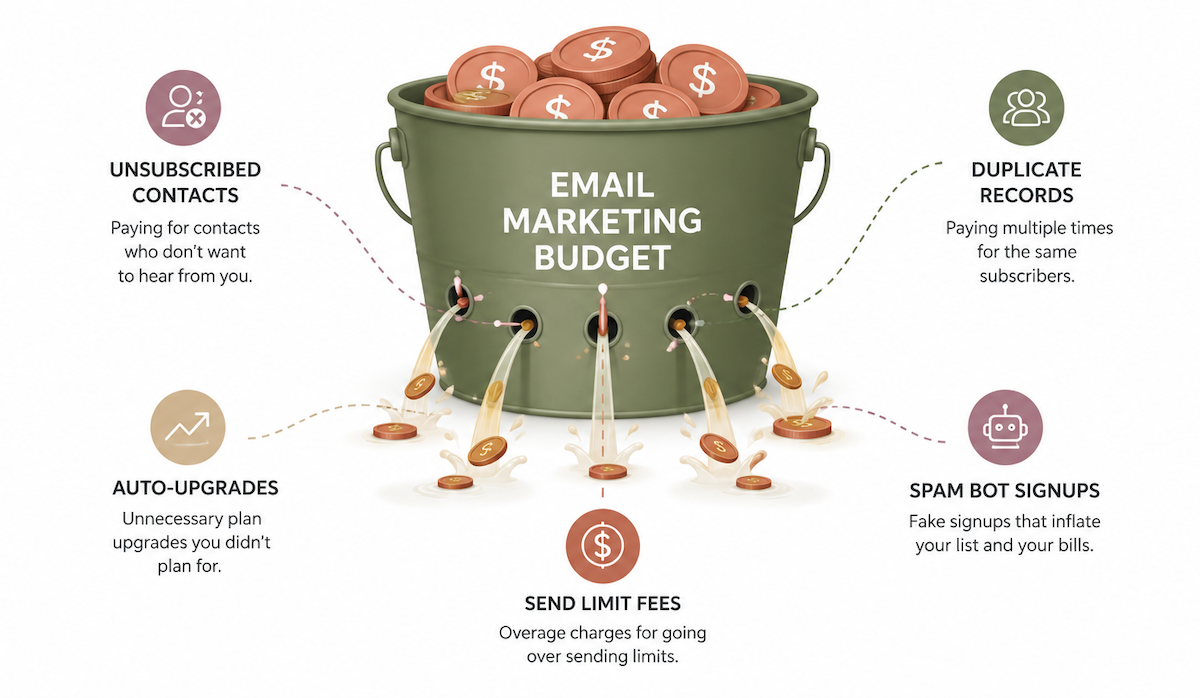
When someone unsubscribes from your list, they can no longer receive your emails. But MailChimp keeps billing you to store their data. Subscribed, unsubscribed, and non-subscribed contacts all count equally toward your billing threshold. If you have 5,000 total contacts and 1,500 of them have opted out, you’re paying for those 1,500 profiles you can’t legally market to.
Here's the kicker, if you manage multiple lists and the same email address appears across two separate audiences in your account, MailChimp bills you for that contact twice.
Constant Contact: The Mid-Cycle Auto-Upgrade
Constant Contact handles unsubscribes a little more fairly — they don’t count them toward your billing. But they enforce strict list caps and monthly send limits that create a different kind of trap.
The moment a new signup pushes your list one name over your tier’s threshold, Constant Contact automatically upgrades your account to the next pricing bracket — mid-billing cycle, with no warning email, banner, or confirmation prompt. You only find out when you see the charge on your next bill.
Send volume works the same way. Exceed your plan’s monthly email allotment and overage fees are applied directly to your card on file. No heads-up, no pause.
Spambots: The Threat You Probably Didn't Budget For
Automated spambots are an underappreciated budget risk for small businesses using either platform. When bots target an unprotected signup form, they inflate your contact list with fake addresses — and both platforms treat that fake traffic as real contacts for billing purposes.
• On MailChimp: You’re automatically charged for additional contact blocks to accommodate the spike, for contacts that will never open an email.
• On Constant Contact: A bot surge can trigger an automatic mid-cycle tier upgrade, locking you into a higher price bracket for activity that brought zero real subscribers.
Beyond the billing impact, fake contacts damage your sender reputation through hard bounces and drag down your open rates — which can affect deliverability for your real audience.
How to Keep Spambots Off Your List
The most effective protection is double opt-in, sometimes called confirmed opt-in. Instead of adding someone to your list the moment they fill out a signup form, the platform sends them a confirmation email first. They only join your list if they click a link to verify their address. Bots can't complete that step, so fake addresses never make it in — and you never get billed for them. Both Mailchimp and Constant Contact support this, and it can be turned on in your list or audience settings.
A CAPTCHA on your signup form adds a second layer of protection. You've seen these before — the "I'm not a robot" checkbox, or a prompt to identify traffic lights in a grid of photos. They're a small friction point for real people and a hard stop for most bots. Many website builders include this as a built-in form option, and free tools like Cloudflare Turnstile offer a more seamless version that works in the background without interrupting the signup experience.
Enabling double opt-in alone will stop the vast majority of spambot attacks — and it costs nothing to turn on. It's one of the simplest things you can do to protect both your list quality and your monthly bill.
How to Protect Your Budget on Either Platform
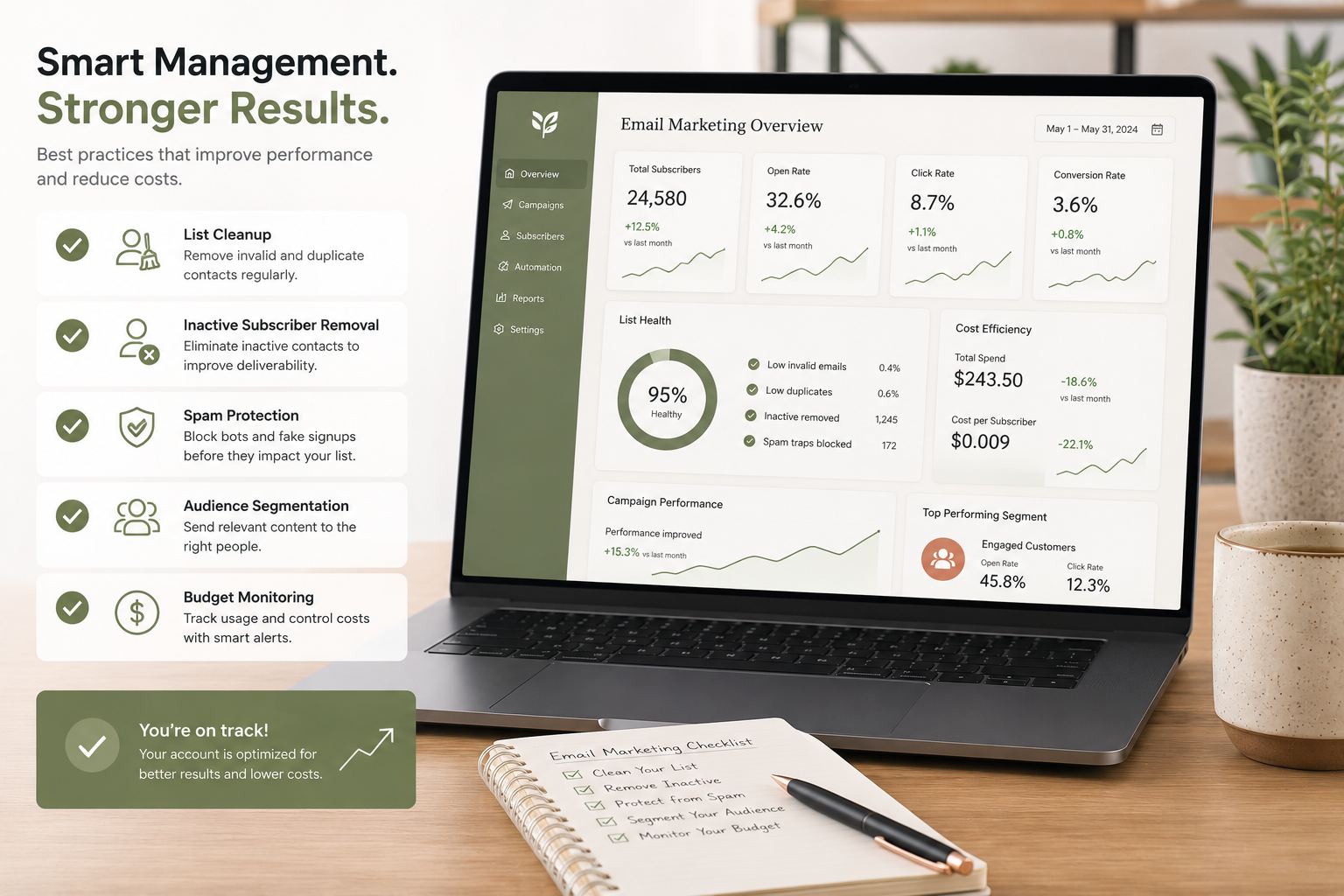
The good news is that most of these costs are preventable with a little structure and a few protective habits.
Strategy: Managing Inactive Contacts
• Mailchimp Users: Archive don’t delete. Move unsubscribed contacts to Archived status. They stop counting toward your billing tier, but Mailchimp retains their history, so they aren’t accidentally re-imported later.
• Constant Contact Users: Watch your ceiling. Monitor your contact count against your tier limit. If you’re approaching the boundary, manually remove unengaged contacts before a routine signup triggers an automatic upgrade.
Strategy: List Structure
• Mailchimp Users: One audience, always. Build your entire account around a single master list and use Tags and Segments to organize prospects, clients, and leads. This prevents duplicate contact billing across multiple audiences.
• Constant Contact Users: Track your send volume. Know your monthly dispatch limit and keep an eye on your running total. If you send frequent updates, segment campaigns strategically to stay within your allotment.
Build a Sunset Policy
Stop paying platform fees to store contacts who haven’t opened an email in months. Create a dynamic segment targeting subscribers who have skipped your last 10 to 15 emails, or who have been inactive for 90 days or more.
Send them one re-engagement email — honest, direct, low-pressure — asking if they still want to hear from you. If they don’t respond, archive or remove them. This single habit improves your deliverability, protects your sender reputation, and directly reduces your monthly platform costs.
Email marketing is still one of the highest-return channels available to small businesses — but only if the platform costs stay predictable. The billing structures on both Mailchimp and Constant Contact are designed to scale up quietly. Understanding exactly what you’re being charged for, and building a few simple habits around list hygiene, is the difference between a channel that pays for itself and one that slowly drains your budget without you noticing.